
GhostPegby Ghost Creator Pro

Free video editor · in your browser

Make your TikTok videos for free. No subscriptions. No credit card.

Ghost Peg, the GhostPeg mascot: a little white ghost with a turquoise hem, rendered with the app’s 3D engine

With your camera, your photos and your clips, and with format templates ready for TikTok, Shorts, Reels and YouTube. Edit on your phone, tablet or computer and download in 1080p.

  • Free up to 3 minutes per video
  • 1080p
  • iPhone, Android, iPad and PC
  • No install

Already have an account? Open the editor · Getting started

WHEREVER, FOR WHATEVER

A free video editor for every screen and every network.

Hover over (or tap) each topic to see what the editor does on your phone, your browser or your favorite network.

Phone: Edit on your phone, no app to download

On a phone the preview stays on top, the timeline below and the tools in a sheet you open with your finger. Record with the front or back camera and download the video on the same phone.

  • Move, trim and split clips with your finger
  • 720p if your phone is slow; 1080p if it is fine
Phone editor guide →

iPhone: In Safari or Chrome on iPhone

Open photos and videos from your camera roll, edit them and, when you finish, tap “Share” and then “Save video” to keep it in Photos, ready for TikTok, Instagram or WhatsApp.

  • Nothing to install from the App Store
  • The video comes out as MP4
iPhone, Android and iPad →

Android: In Chrome on your Android

With an up-to-date Chrome the editor works just like on a computer: the video downloads to your downloads folder and from there you upload it to TikTok, YouTube, Reels or WhatsApp.

  • Record your voice or camera with the 3-2-1 countdown
  • Your project saves itself on the phone
Phone editor →

iPad and tablet: More screen for the timeline

On an iPad (Safari) or an Android tablet (Chrome) you have more room to see the tracks: video, overlay, text and audio. What you start on the tablet you continue on the PC: “My projects” → “Continue on another device”.

  • Works with finger, mouse or pencil
  • 9:16, 1:1, 4:5 and 16:9 formats
Phone and tablet →

Chrome and browser: A web editor: nothing to install

Up-to-date Chrome and Edge export MP4 (H.264) using your device’s acceleration when available; Safari too; Firefox exports WebM. Everything is processed on your device: your files are not uploaded to edit them.

  • The project saves itself in your browser
  • Undo and redo as much as you need
Online video editor →

Windows PC: Two paths on your computer

On a PC you can use the web editor in Chrome or Edge, or install GhostPeg for Windows: it makes AI videos from your script, animated 2D and 3D series, and edits your videos with no length cap (with a watermark on Free).

  • 14 voices that work offline
  • Animated subtitles
AI video editor for PC →
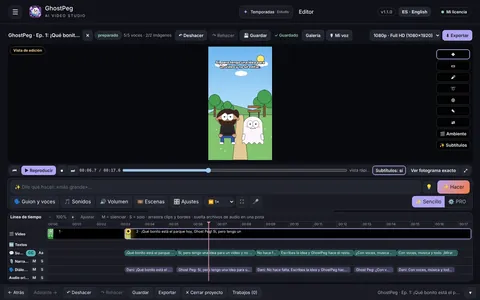
GhostPeg for Windows editor screen, with its timeline

Mac: In Safari or Chrome on your Mac

The web editor works in Safari, Chrome and Edge on your Mac and exports MP4. GhostPeg for Apple-chip Macs (M1 or newer) is coming soon; meanwhile, everything in the web editor is already free.

  • Start on your phone and finish on your PC, with your account
Browser editor →

TikTok: “TikTok video”, in one tap

When you start, choose “TikTok video”: 9:16 at 1080×1920 and 30 fps, guides for the area the app buttons cover, TikTok-style captions and text, and a file named ready to upload.

  • Text with outline, background box and animation
  • Original sounds for your transitions
TikTok video editor →
Frame from a vertical 3D video made with GhostPeg, with its subtitle

YouTube and Shorts: 16:9 landscape or vertical Shorts

“YouTube landscape” works in 1920×1080 and “Reels / Shorts” in 1080×1920 with its safe zone. Export your subtitles as SRT to upload them to YouTube and download the video thumbnail too.

  • Music that ducks by itself when you speak
  • Up to 3 minutes free per video
YouTube and Shorts editor →

Reels and Instagram: Reels, square 1:1 and 4:5

For Reels use “Reels / Shorts” (9:16) with its safe-zone guides; for the feed, “Instagram square” (1080×1080) or “Instagram 4:5” (1080×1350). Change format whenever you want and choose a color, image or blurred background.

  • The same project, in another format, in one click
Vertical formats →

2D animation: Cartoon series with your characters

With GhostPeg for Windows you paste your script and get a 2D episode: cut-outs, classic cartoon or stick figures, with voices, subtitles and music. On Free each episode can be up to 15 seconds.

  • Characters stay the same from one episode to the next
Free 2D animation →
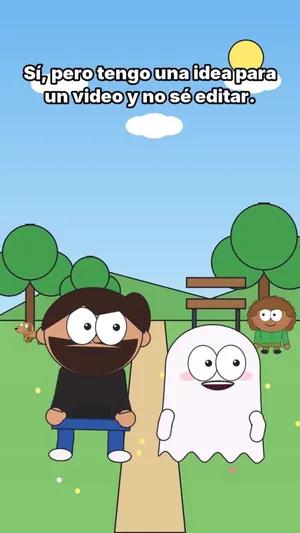
Frame from a 2D video made with GhostPeg: Dani and Ghost Peg at the park

3D videos: Talking 3D characters that move

The Ghost Peg spinning above is drawn with the same 3D engine as GhostPeg for Windows. There your characters speak with their own voice, move around their world and the camera changes shots by itself. On Free, up to 15 seconds per episode.

  • From a photo or from words
  • Vertical for shorts or landscape for your channel
3D video maker →
Ghost Peg in 3D, rendered with the GhostPeg engine

Subtitles: Type them or import an SRT

Type your subtitles on their own track or import an SRT file. Pick a style (TikTok-like too), apply it to all of them in one tap and, if you need it, export the SRT again for YouTube.

  • 15 ready-made text styles and 8 open fonts
  • In and out animations
Subtitles for YouTube →

Green screen: Chroma key: in GhostPeg for Windows

Plainly: the web editor does not remove green screens yet. The editor in GhostPeg for Windows does: green turns transparent, with a soft edge and no green spill on the person.

  • In the web editor, use a color, image or blurred background
GhostPeg →

Your voice and camera: Record without leaving the editor

Record your voice or your camera with the 3-2-1 countdown and choose the microphone and camera. Music ducks by itself when you speak, and you get 15 sounds made by GhostPeg (pop, whoosh, ding, drum roll and music) free for your videos.

  • Speed from 0.25× to 4× without changing voice pitch
TikTok ideas →

Speed, filters and transitions: What gives your video rhythm

Change speed from 0.25× to 4×, apply 8 filters (vivid, warm, cool, black & white, retro, cinema, night, faded), adjust brightness, contrast and saturation and join clips with cut, crossfade, fade to black, slide, zoom or wipe.

  • Gentle motion on photos: zoom in, zoom out and pan
Everything in the editor →
HOW IT WORKS

Your video in 3 steps.

No software to install and no card to give. Your free account takes a minute and the editor opens by itself.

  1. Create your free accountYour email and a password. When you finish, the editor opens in the browser you are using.
  2. Pick the format and add your stuff“TikTok video”, “Reels / Shorts”, “YouTube landscape” or Instagram. Add photos and clips, or record your voice and camera.
  3. Edit and downloadCut, add text, subtitles and music, and download in 1080p with its thumbnail. On iPhone: “Share” → “Save video”.
ALL OF THIS IS FREE

What the editor already has, today.

No “trial features”: these tools are in the web editor and are free to use.

  • Multi-track timeline: video, overlay, text and audio
  • Trim by dragging the edges, split, duplicate, copy, paste and undo
  • Speed from 0.25× to 4× without changing voice pitch
  • 8 filters, brightness, contrast and saturation
  • 6 transitions: cut, crossfade, fade to black, slide, zoom and wipe
  • 15 text styles (TikTok-like too) with animations
  • Subtitles: type, import and export SRT
  • Record voice and camera with a 3-2-1 countdown
  • 15 sounds and music tracks made by GhostPeg
  • Music that ducks by itself when you speak
  • 9:16, 16:9, 1:1 and 4:5 formats, with safe-zone guides for TikTok, Reels and Shorts
  • Exports in 1080p or 720p, with thumbnail, on your device
HONEST COMPARISON

What GhostPeg gives you for free and what it doesn’t.

No fine print: this is how the web editor, the Windows app and what Pro will bring compare.

Comparison of the free web editor, GhostPeg for Windows Free and the Pro plans
Free web editorGhostPeg for Windows · FreePro and Pro Plus (coming soon)
Where it runsBrowser: phone, tablet, PC or MacWindows 10 or 11 PC (Apple-chip Mac: coming soon)The same
Price$0, no card$0, no card30-day pass with one payment, no automatic renewal
LengthUp to 3 minutes per videoYour videos with no cap; AI-made up to 30 s; 2D and 3D series up to 15 sLonger (Pro Plus: unlimited animation)
WatermarkSmall, in a cornerYesNo watermark
Quality1080p · 720p720pWithout the Free caps
AI makes the video for youNo: you editYes, from your scriptYes, full
2D and 3D animation—Yes (up to 15 s)Pro: up to 3 min · Pro Plus: no limit
Green screenNot yetYesYes
Your filesStay on your deviceStay on your PCSame
Before choosing any free editor, check four things: whether it asks for a card or a trial that charges by itself, whether it adds a watermark and where, whether it uploads your files to its servers, and whether it caps quality or length. In GhostPeg: no card, the mark is small and sits in a corner, it does not upload your files to edit them, and the free limit is 3 minutes per video in 1080p. See the plans

Frequently asked questions

Is the video editor really free?

Yes. You create your account with your email and a password, no credit card and no subscription, and you use every tool. Each video can be up to 3 minutes long and carries a small GhostPeg mark in a corner. GhostPeg Pro (longer videos, no mark) is coming soon and you do not need it to use the editor.

Can I make TikTok videos from my phone?

Yes, in the browser on your iPhone or Android, without installing an app. Choose “TikTok video” (1080×1920, 30 fps), see the guides for the area the app buttons cover and download the video ready to upload.

Does it work in Chrome, Safari and Firefox?

It works in up-to-date Chrome and Edge (Windows, Mac and Android) and in Safari (Mac, iPhone and iPad): the video comes out as MP4. Firefox can edit and export too, as WebM.

Are my photos and videos uploaded?

Not to edit: the video is built and exported on your own device and the project is saved in your browser. Only if you choose “Continue on another device” (in “My projects”) does the project go through your account so you can open it on your other device, and it is deleted once opened or after 48 hours. Offline, you download a .gcweb copy.

What quality do I download?

In 1080p (1080×1920 vertical or 1920×1080 landscape) or 720p if your device is slow. Before exporting, the editor tells you whether it will be MP4 or WebM in your browser.

Can I record my voice or my camera?

Yes, inside the editor with a 3-2-1 countdown. Music ducks by itself when you speak and there are 15 sounds made by GhostPeg that you can use in your videos.

Can I make 3D videos or 2D animations?

The web editor edits your photos and clips. To create 2D and 3D animations with talking characters there is GhostPeg for Windows: on Free, each animated episode can be up to 15 seconds.

Does it have green screen (chroma key)?

The web editor does not yet. The editor in GhostPeg for Windows does remove green screens, with a soft edge and no green spill on the person.

Do I need an account?

Yes, a free one: your email and a password. When you create it the editor opens; to download your videos you confirm your email with the link we send you.

More ways to use GhostPeg for free

With AI, on your PC: GhostPeg for Windows · getting started with the web editor

Ghost Peg, the GhostPeg mascot, in 3D

Your next video starts here.

Free, no subscriptions and no credit card. On your phone, tablet or computer.

Create, share and grow.

Free in your browser or on your Windows PC.

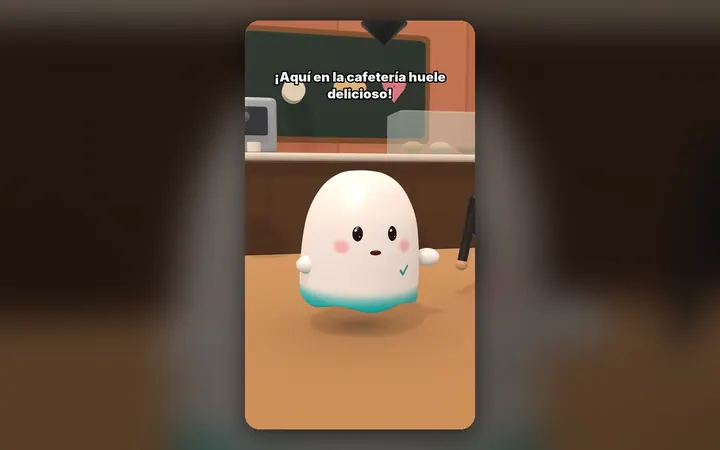
Frame from a 3D video made with GhostPeg: the ghost in a café

3D videos

Your characters talk with their own voice and move around their world, on your PC.

See the 3D maker
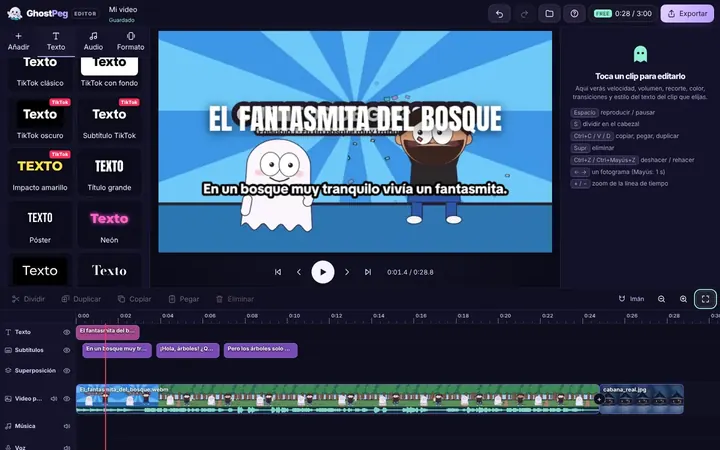
The GhostPeg web editor with a 2D story on the timeline

Edit in your browser

Free on your phone, tablet or computer, with nothing to install.

See the free editor
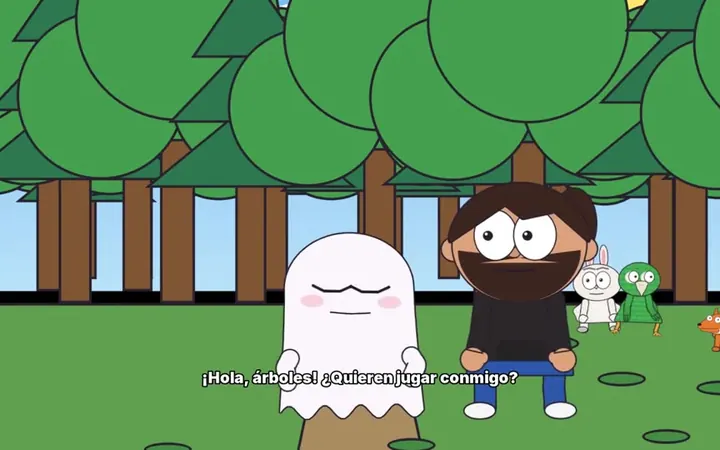
Frame from the 2D story “The little forest ghost”, made with GhostPeg

2D animation

Stories and series as cut-outs, cartoons or stick figures.

See 2D animation
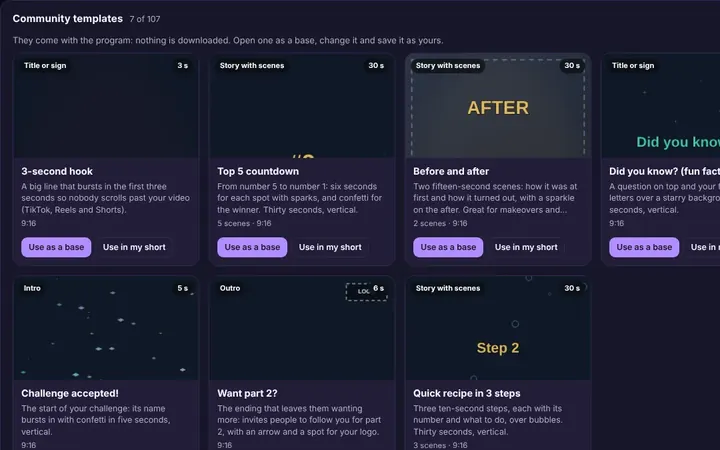
The community templates inside GhostPeg

Learn with the community

Tutorials and templates from other creators to use as a starting point.

Browse templates
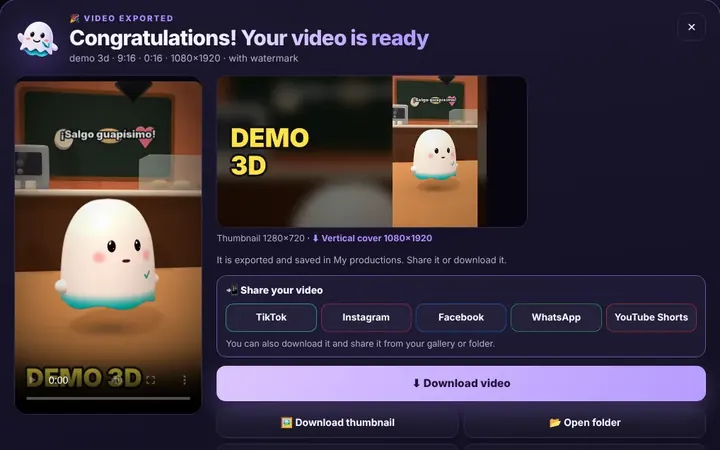
The GhostPeg box when a video is done: TikTok, Instagram, Facebook, WhatsApp and YouTube Shorts

Share when it’s done

TikTok, WhatsApp, Instagram or Facebook from the same box, or download it.

Download free
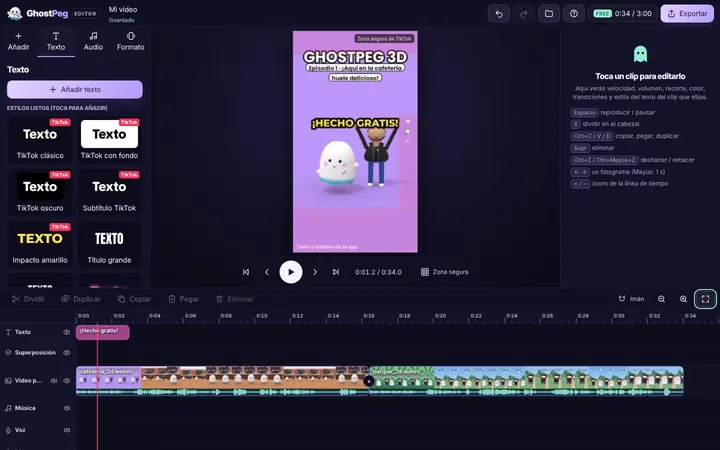
The web editor with a vertical video for TikTok

Grow on your platforms

Ready for TikTok, Reels and Shorts, with your own channel in the community.

Visit the community